
We’re so excited to have you join us in the BA Essentials Master Class Self-Study.
You’ll be receiving an email shortly from Bridging the Gap Training (training@bridging-the-gap.com) confirming your registration and providing a set of next steps to take before the program begins on Thursday, October 24, 2025. Please be sure to add training@bridging-the-gap.com and info@bridging-the-gap.com to your contacts and safe senders’ list so that our messages make it to your inbox.
Online course access will be granted on Wednesday, October 22. In the meantime, you’ll hear from me with some tips for making the most of your investment.
If you have any questions about the course in the meantime, please don’t hesitate to get in touch at info@bridging-the-gap.com.
Thanks for allowing us to be part of your business analysis career journey.
Order Your Copy of The Value-Driven Business Analyst
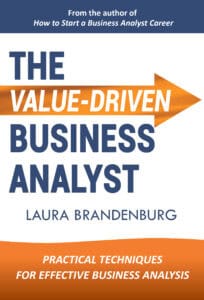 Laura’s new book – The Value-Driven Business Analyst – is a great companion to the BA Essentials Master Class.
Inside, you’ll discover:
- A step-by-step playbook for stakeholder alignment, scoping, planning, eliciting, and analyzing requirements to accelerate clarity.
- Technique tutorials covering business process analysis, software requirements, and data modeling.
- Career-building insights to expand your role, articulate your value, and grow with intention.
How to be sure you receive our emails
Sometimes our emails can end up in your spam or junk folder, or get filtered into the promotions tab if you are a Gmail user.
- If you are a Gmail user, you may find the welcome email under your Promotions tab. Update your settings so that emails from info@bridging-the-gap.com and training@bridging-the-gap.com go to your primary tab. (You can also simply drag the email over to the primary tab to adjust this setting.)
- If you use another email client, add our email address to your safe list, so our emails don’t inadvertently end up in your spam or junk folder. For example, if you are using Outlook, open the confirmation email, click under “Junk” and select to “Never block emails from this sender or list.”